

In the crowded digital marketplace, simply creating content isn’t enough; it needs to be perfectly optimized for search engines to find it. But where do you even start? On-page SEO can feel like a complex puzzle with a million moving pieces, leaving many creators and entrepreneurs unsure if they’ve covered all their bases. That’s why we’ve distilled everything you need to know into a single, actionable resource.
This isn’t just another list of vague tips; it’s a comprehensive, step-by-step checklist for on page seo designed to take the guesswork out of ranking. We will cover 10 critical pillars, from foundational elements like title tags and URL structure to advanced optimizations like Core Web Vitals and strategic internal linking. Each point is packed with practical examples and pro tips to help you systematically improve your content, enhance user experience, and send powerful relevance signals to Google. To further solidify your understanding of on-page optimization, delve into these 10 On-Page SEO Best Practices which offer a great foundation for what we’ll build upon here.
Whether you’re an affiliate marketer aiming for top rankings, a content creator trying to monetize your audience, or a blogger looking to grow organic traffic, mastering this checklist is your first step toward achieving sustainable growth and authority in your niche. By following these steps, you can transform your pages from unseen to unstoppable. Let’s get your content perfectly optimized.
1. Title Tag Optimization
The title tag is arguably the most crucial single element in any checklist for on-page SEO. It’s the clickable headline that appears in search engine results pages (SERPs) and the text shown in your browser tab. A well-crafted title tag tells both users and search engines exactly what your page is about, serving as a powerful first impression that directly influences click-through rates (CTR).
Think of it as the title of a book; it needs to be compelling, accurate, and relevant to convince someone to open it. Optimizing this element involves a strategic blend of keyword placement, user psychology, and technical precision to maximize visibility and attract qualified traffic.
Why It’s Essential
Your title tag is a direct ranking signal for search engines like Google. An optimized title that includes your target keyword helps search algorithms understand your content’s relevance to a user’s query. More importantly, it’s your primary tool for standing out in a crowded SERP. A boring or generic title will get overlooked, even if your content is superior.
How to Implement It
Follow these best practices to create high-impact title tags that drive clicks and improve rankings.
- Front-Load Your Primary Keyword: Place your most important keyword as close to the beginning of the title as possible. This gives it more weight in search engine algorithms and immediately signals relevance to users scanning the results.
- Adhere to Length Limits: Keep your title tags between 50-60 characters. Titles longer than this are often truncated by Google, cutting off important information and reducing their effectiveness.
- Incorporate Power Words and Numbers: Use words like “Ultimate,” “Complete,” or “Definitive” and include numbers (e.g., “15 Actionable Tips”) to make your title more compelling and increase its CTR.
- Add Your Brand Name: If space allows, include your brand name at the end of the title, separated by a pipe (|) or hyphen (-). This builds brand recognition and can increase trust.
- Ensure Accuracy: The title must accurately reflect the page’s content. Misleading titles create a poor user experience, leading to high bounce rates and potential ranking penalties.
Many find that using a dedicated plugin simplifies this process. If you want a deep dive into the tools that can help, you can explore this comparison of Rank Math vs. Yoast SEO.
2. Meta Description Optimization
While not a direct ranking factor, the meta description is your sales pitch in the SERPs. This HTML attribute provides a brief summary of your page’s content, appearing directly below your title tag in search results. A compelling meta description is a critical component of any checklist for on-page SEO because it directly influences whether a user clicks on your result or a competitor’s.

Think of it as the blurb on the back of a book. It doesn’t change the book’s content, but it’s essential for convincing the reader to engage further. Optimizing this short snippet of text is a low-effort, high-impact way to improve your click-through rate (CTR), signaling to Google that your page is a relevant and valuable answer to a user’s query.
Why It’s Essential
A well-crafted meta description provides context and sets expectations for the user. It answers their silent question: “Is this page worth my time?” By giving a clear, benefit-driven preview of your content, you attract more qualified traffic and reduce bounce rates. Even though it’s not a ranking signal, a higher CTR can indirectly signal to Google that your page is a popular result, which may positively influence rankings over time.
How to Implement It
Follow these best practices to write meta descriptions that capture attention and earn clicks.
- Keep It Concise: Aim for a length between 150-160 characters. Google will truncate descriptions that are too long, especially on mobile devices, cutting off your message.
- Include Your Primary Keyword: Naturally integrate your target keyword to show users and search engines that your page is relevant to their search. Avoid keyword stuffing.
- Write a Compelling Ad Copy: Use an active voice and focus on the value proposition. Answer the user’s problem or question directly. For example, instead of “This post is about SEO,” try “Discover 15 actionable SEO tips to boost your traffic.”
- Add a Call-to-Action (CTA): Encourage a click with a subtle CTA like “Learn more,” “Find out how,” or “Explore the guide.” This prompts the user to take the next step.
- Ensure Uniqueness: Every page on your site should have a unique meta description. Duplicate descriptions can confuse search engines and provide a poor user experience.
3. Header Tags (H1, H2, H3) Structure
Header tags (H1, H2, H3, etc.) are essential for creating a logical and hierarchical structure for your content, making it a non-negotiable part of any checklist for on-page SEO. The H1 tag acts as the main title for your page, while subsequent H2s and H3s organize the content into clear, digestible subsections. This structure is crucial for both user experience and search engine comprehension.
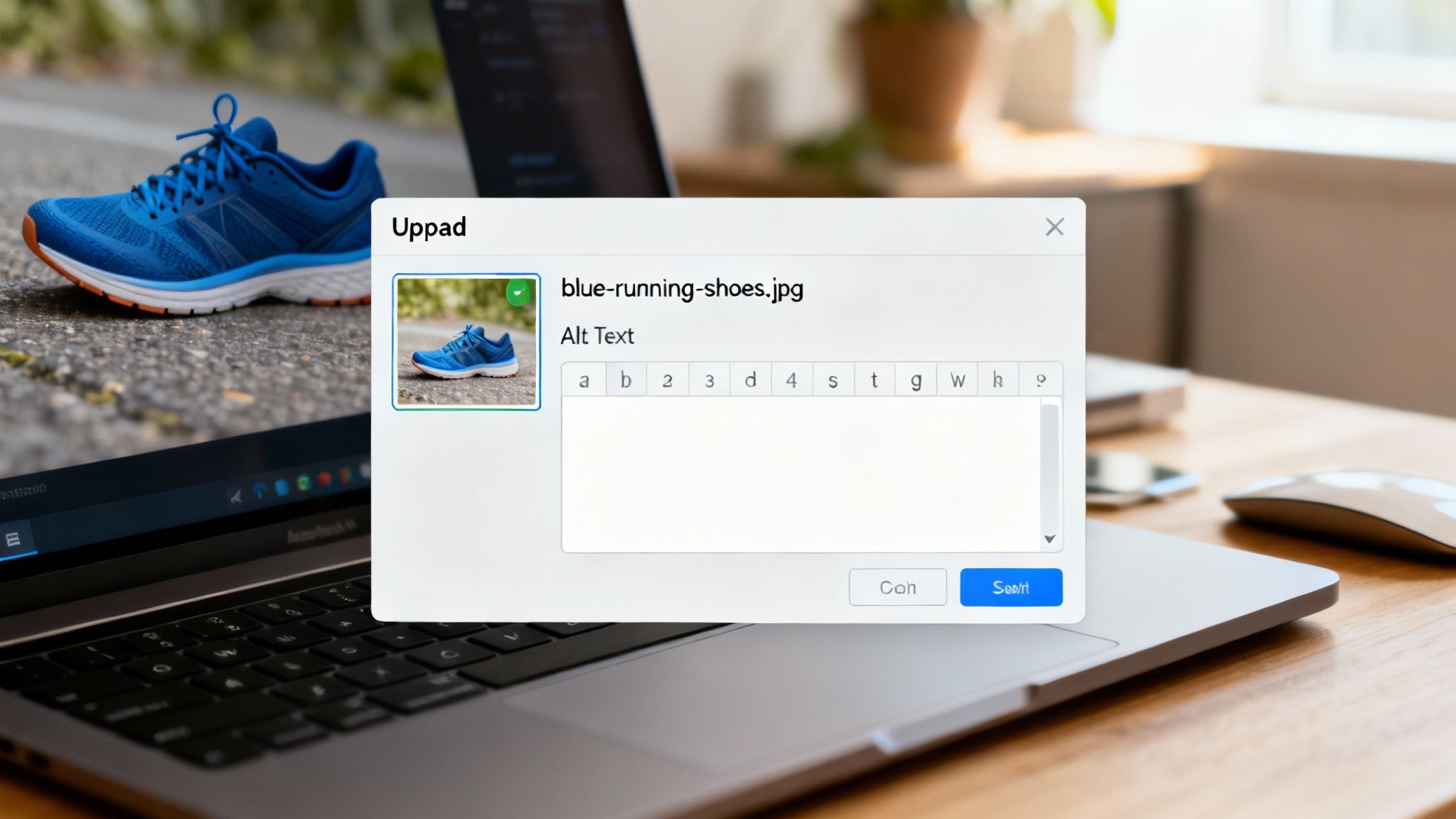
Think of header tags as the table of contents for your page. They guide readers through your article, allowing them to scan for relevant information quickly. For search engines, they provide a clear outline of your content’s key topics and subtopics, helping them better understand and index your page.
Why It’s Essential
A well-organized header structure significantly improves readability and user engagement. It breaks up intimidating blocks of text into smaller, scannable sections, reducing bounce rates. For search engines, headers provide crucial context about the page’s content. They can also help your content appear in featured snippets and “People Also Ask” sections in SERPs, boosting your visibility.
How to Implement It
Follow these best practices to create a clean, effective header hierarchy that benefits both users and search engines.
- Use a Single H1 Tag: Each page should have only one H1 tag, which typically mirrors the page’s title tag. It should clearly state the main topic and include your primary keyword.
- Maintain a Logical Hierarchy: Do not skip heading levels. Your structure should flow logically from H1 to H2, then to H3, and so on (e.g., H1 → H2 → H3). Skipping from an H2 to an H4 can confuse search engine crawlers and screen readers.
- Make Headers Descriptive and Relevant: Your headers should accurately describe the content that follows. Naturally incorporate your primary and secondary keywords where they make sense to reinforce the topic’s relevance.
- Break Up Long Content: Use H2s and H3s to divide your content into manageable sections. This makes your article less overwhelming and easier for users to navigate.
- Optimize for Featured Snippets: Craft headers as questions (e.g., “What Are Header Tags?”) or clear, concise statements. This increases the likelihood of Google pulling your content for a featured snippet.
4. Keyword Placement and Density
Strategic keyword placement is a fundamental pillar in any comprehensive checklist for on-page SEO. It involves intentionally placing your target keywords in key areas of your content to clearly signal topic relevance to search engines. When done correctly, this practice helps algorithms understand and rank your page for the right queries without compromising the reader’s experience.

This isn’t about “keyword stuffing,” an outdated and harmful practice. Instead, it’s about a nuanced approach where keywords are integrated naturally into titles, headings, and the body text. This ensures your content is optimized for search bots while remaining valuable and readable for your human audience, striking the perfect balance between technical SEO and high-quality content creation.
Why It’s Essential
Search engines scan your page to determine its primary topic. Placing keywords in prominent locations like the first paragraph, headers (H1, H2, H3), and meta descriptions acts as a strong indicator of your content’s subject matter. Proper placement confirms to Google that your page is a relevant answer to a user’s search, directly influencing its ability to rank. It’s the difference between a page that search engines think is about a topic and one they know is about it.
How to Implement It
Follow these best practices to optimize your content for both search engines and users.
- Place Your Primary Keyword in the First 100 Words: Introduce your main topic early on. Placing your primary keyword within the first paragraph confirms the page’s relevance to both readers and search crawlers from the start.
- Use Keyword Variations and Synonyms: Avoid repeating the exact same keyword. Incorporate semantic variations and LSI (Latent Semantic Indexing) keywords to build topical depth and avoid sounding robotic.
- Aim for a 1-2% Keyword Density: While not a rigid rule, maintaining a keyword density of 1-2% is a safe guideline. This ensures your keyword appears enough to be significant but not so much that it triggers spam filters.
- Include Keywords in Headers: Use your primary and secondary keywords in your H1, H2, and H3 tags. This helps structure your content for readers and gives search engines clear signposts about the page’s key sections.
- Focus on User Intent: Ultimately, write for humans. Ensure every keyword placement feels natural and serves the reader’s intent. The goal is to answer their question comprehensively, not just to match a keyword.
Mastering keyword usage starts with solid research. For a complete guide on finding the right terms, you can explore this guide on keyword research for beginners.
5. Content Quality and Length Optimization
High-quality, comprehensive content is the foundation of any successful checklist for on-page SEO. It’s the core substance that search engines analyze to determine relevance and authority. While content length can vary based on the topic and user intent, extensive research consistently shows that longer, more in-depth content tends to rank higher for competitive keywords.
Think of your content as the ultimate answer to a user’s question. A short, superficial response is rarely satisfying. Comprehensive, well-researched, and expertly written content not only meets user expectations but also signals to search engines that your page is a valuable resource worthy of a top spot in the SERPs.
Why It’s Essential
Google’s primary goal is to provide users with the most relevant and thorough answers. Long-form content, when executed correctly, covers a topic from multiple angles, answers follow-up questions, and provides immense value. This depth satisfies user intent more effectively, leading to longer dwell times, lower bounce rates, and a higher likelihood of earning backlinks, all of which are positive ranking signals.
How to Implement It
Follow these best practices to create high-quality, comprehensive content that ranks well and engages readers.
- Research Competitor Length: Analyze the top-ranking pages for your target keyword to establish a baseline word count. If the top results are all over 2,500 words, a 500-word article is unlikely to compete effectively.
- Prioritize Depth, Not Fluff: Aim for comprehensive coverage, but avoid adding filler content just to increase word count. Every sentence should add value. Incorporating original data, case studies, or unique insights can significantly boost quality.
- Satisfy Search Intent Above All: Your primary goal is to answer the user’s query completely. Focus on providing value and solving their problem, and the appropriate length will naturally follow.
- Improve Scannability: Break up long-form content with short paragraphs, H3 subheadings, bullet points, and images. This makes it easier for users to read and digest, improving their on-page experience.
- Keep Content Fresh: Regularly update your existing articles with new information, statistics, and examples. Content freshness is a ranking factor, and it ensures your information remains accurate and valuable over time.
6. Image Optimization and Alt Text
Images are more than just visual aids; they are powerful assets that enhance user experience and open up new avenues for search engine traffic. A critical step in any checklist for on-page SEO, image optimization involves reducing file sizes for faster load times, using descriptive filenames, and implementing alt text to provide context for both users and search engines.
Think of images as mini-SEO opportunities scattered throughout your page. Each one can be optimized to improve accessibility, contribute to your page’s topical relevance, and even rank independently in Google Image Search. Properly optimized images create a better-rounded and more performant webpage that appeals to a wider audience.
Why It’s Essential
Unoptimized, large image files are a primary cause of slow page load speeds, which directly harms user experience and search rankings. Furthermore, search engines cannot “see” images. Alt text (alternative text) bridges this gap, describing the image’s content to crawlers and making your content accessible to users with visual impairments who rely on screen readers. This dual benefit makes image optimization a non-negotiable task.
How to Implement It
Follow these best practices to ensure your images are working for you, not against you.
- Use Descriptive Filenames: Before uploading, rename your images to describe their content. Use
blue-nike-running-shoes.jpginstead of a generic name likeIMG_2478.jpg. This provides immediate context to search engines. - Write Compelling Alt Text: Your alt text should be a concise and accurate description of the image, ideally under 125 characters. If relevant, naturally include your target keyword, but avoid keyword stuffing. For example, for an image of running shoes, alt text could be: “A pair of blue Nike running shoes on a white background.”
- Compress Image Files: Use tools like TinyPNG or ImageOptim to reduce file sizes without a significant loss in quality. This is crucial for maintaining fast page load times.
- Choose the Right Format: Use modern formats like WebP for the best balance of quality and compression. For photos, JPEG is a solid fallback, while PNG is better for graphics with transparency.
- Implement Lazy Loading: Configure images to load only when they are about to enter the user’s viewport. This technique significantly speeds up the initial page load, improving core web vital scores.
7. Internal Linking Strategy
An internal linking strategy is a foundational component of any comprehensive checklist for on-page SEO. These links connect one page on your website to another, creating a web of content that guides both users and search engine crawlers. A well-planned internal linking structure distributes page authority, establishes a clear information hierarchy, and helps search engines understand the relationships between your different pieces of content.
Think of internal links as the hallways and signposts within your website. They help visitors discover more of your valuable content, increasing engagement and time on site. For search engines, they provide context, pass “link equity” from high-authority pages to others, and ensure that all your important pages are discoverable and indexed.
Why It’s Essential
Without a deliberate internal linking strategy, your website is just a collection of disconnected pages. This makes it difficult for search engines to determine which pages are most important and how they relate to one another. Strategic linking helps establish “topic clusters,” where a central “pillar” page is supported by numerous related articles, signaling your expertise on a subject to Google and creating a better user experience.
How to Implement It
Follow these best practices to build an internal linking structure that boosts your SEO and guides your users effectively.
- Use Descriptive, Keyword-Rich Anchor Text: The clickable text of a link, or anchor text, should accurately describe the destination page. Instead of using generic phrases like “click here,” use descriptive anchors like “our complete on-page SEO guide.”
- Link Contextually: Place links where they feel natural and provide additional value to the reader. The most powerful internal links are those that connect closely related pieces of content, helping to clarify a topic further.
- Link from High-Authority Pages: Identify your top-performing pages (those with high traffic and backlinks) and strategically link from them to important pages you want to boost. This passes valuable authority and can improve the target page’s rankings.
- Build Topic Clusters: Organize your content into clusters. Create a main pillar page covering a broad topic and then link out from it to more specific, in-depth articles. Ensure all cluster pages link back to the main pillar.
- Regularly Audit for Broken Links: Use a tool like Screaming Frog or Ahrefs’ Site Audit to find and fix broken internal links. These create a poor user experience and waste link equity, so they should be corrected promptly.
8. URL Structure and Optimization
The URL, or web address, is a frequently overlooked yet vital component in any complete checklist for on-page SEO. It’s one of the first things a search engine crawler analyzes and a user sees, providing immediate context about the page’s content. A clean, well-structured URL enhances user experience, improves crawlability, and acts as a minor but significant ranking factor.
Think of your URL as a clear signpost on the internet. A logical, descriptive address helps both users and search engines navigate your site’s architecture with ease. Optimizing this element involves creating short, human-readable URLs that are rich with relevant keywords, making your content more accessible and shareable.
Why It’s Essential
A well-optimized URL directly contributes to both SEO and usability. For search engines, a URL that includes your target keyword helps them understand the page’s topic. For users, a clean URL like moz.com/blog/on-page-seo-factors is far more trustworthy and informative than a messy, parameter-filled one like example.com/p=123?id=ab&c=4. Descriptive URLs can improve click-through rates from SERPs, social media, and emails because users know what to expect before they click.
How to Implement It
Follow these best practices to create SEO-friendly URLs that support your content strategy and improve rankings.
- Include Your Primary Keyword: Naturally integrate your primary keyword into the URL slug. This reinforces the page’s topic for search engines and users alike.
- Keep It Short and Simple: Aim for concise URLs, ideally under 75 characters. Shorter URLs are easier to read, copy, and share on social media platforms.
- Use Hyphens to Separate Words: Always use hyphens (-) to separate words in your URL. Search engines like Google read hyphens as spaces, whereas underscores (_) are not treated the same way.
- Maintain a Logical Hierarchy: Structure your URLs to reflect your site’s organization. For example,
hubspot.com/resources/templatesclearly indicates a page with templates within the resources section. - Avoid Dynamic Parameters: Steer clear of special characters, session IDs, and other dynamic parameters (e.g., ?, =, &). These make URLs long, confusing, and difficult for search engines to crawl.
9. Mobile-Friendliness and Responsive Design
In an era dominated by mobile-first indexing, ensuring your website is mobile-friendly is no longer optional; it’s a fundamental part of any modern checklist for on-page SEO. Mobile responsiveness means your website’s layout and content automatically adapt to fit any screen size, providing a seamless experience for users on desktops, tablets, and smartphones. This directly impacts user engagement and is a core ranking factor for Google.
Think of it as architectural integrity for the digital world. A non-responsive site on a mobile device is like a building with doors too small to enter; users will simply turn away. Optimizing for mobile ensures your site is accessible and functional for the majority of today’s internet users, preventing high bounce rates and signaling quality to search engines.
Why It’s Essential
Google now predominantly uses the mobile version of a site for indexing and ranking (mobile-first indexing). If your site performs poorly on mobile devices, your search rankings will suffer across the board, even for desktop searches. A positive mobile experience keeps users on your site longer, reduces bounce rates, and encourages shares and return visits, all of which are positive signals that can boost your SEO performance.
How to Implement It
Follow these best practices to ensure your site delivers an excellent mobile experience that satisfies both users and search engines.
- Use Responsive Design: Implement a responsive web design that uses a fluid grid system and flexible images. This is Google’s recommended approach, as it serves the same HTML code on the same URL regardless of the user’s device.
- Verify with Google’s Mobile-Friendly Test: Use Google’s free Mobile-Friendly Test tool to quickly analyze your URL and identify specific mobile-usability issues that need to be addressed.
- Optimize for Touch: Ensure all buttons, links, and interactive elements are large enough and spaced appropriately to be easily tapped with a finger. This prevents user frustration from accidental clicks.
- Prioritize Readability: Use a legible font size, typically a minimum of 16px for body text. Maintain high contrast between your text and the background to make content easy to read on smaller screens and in various lighting conditions.
- Compress Images and Media: Mobile users often have slower internet connections. Optimize images and other media files to reduce their file size without sacrificing quality, ensuring your pages load quickly on mobile networks.
10. Page Speed and Performance Optimization
In today’s fast-paced digital world, page speed is a non-negotiable part of any comprehensive checklist for on-page SEO. It is a confirmed Google ranking factor and a critical component of user experience. A slow-loading website frustrates visitors, leading to higher bounce rates, fewer conversions, and ultimately, lower search engine rankings.
Think of your website’s performance as its digital handshake; a slow, laggy site creates a poor first impression that users are unlikely to forget. Optimizing your site’s speed involves a technical approach focused on delivering content to the user as quickly and efficiently as possible, measured by Google’s Core Web Vitals (LCP, FID, CLS).
Why It’s Essential
Slow pages directly impact your bottom line. E-commerce giants like Amazon have shown that even a one-second delay can significantly reduce conversions. For search engines, a fast-loading site indicates a well-maintained and user-friendly resource, which is rewarded with better visibility. A positive user experience encourages longer visit durations and more engagement, sending strong positive signals to Google.
How to Implement It
Follow these best practices to supercharge your site’s performance and provide a seamless user experience.
- Monitor Core Web Vitals: Regularly check your Core Web Vitals report in Google Search Console to identify and fix user experience issues flagged by Google.
- Compress and Optimize Images: Use modern image formats like WebP and compress all images before uploading. This drastically reduces file size without a noticeable loss in quality.
- Leverage Caching: Implement both browser and server-side caching to store static versions of your site, allowing it to load almost instantly for repeat visitors.
- Use a Content Delivery Network (CDN): A CDN distributes your site’s assets across a global network of servers, ensuring fast delivery to users regardless of their geographic location.
- Minify Code: Reduce the size of your CSS, JavaScript, and HTML files by removing unnecessary characters, comments, and white space.
- Improve Server Response Time: A slow server response time, or Time to First Byte (TTFB), can create a bottleneck. This is often where your hosting provider plays a crucial role. For a closer look at a provider known for speed, you can explore this Rocket.net hosting review.
For a deeper dive into making your site load faster, explore these tips to improve website speed.
10-Point On-Page SEO Checklist Comparison
| Item | Implementation Complexity 🔄 | Resource Requirements ⚡ | Expected Outcomes ⭐📊 | Ideal Use Cases | Key Tip 💡 |
|---|---|---|---|---|---|
| Title Tag Optimization | Low — quick edits across pages | Low — minimal technical skill, fast ROI | ⭐⭐⭐⭐ — improved CTR, modest ranking signal | Any page aiming for better SERP clicks | Place primary keyword near start; <60 chars |
| Meta Description Optimization | Low — simple copy updates | Low — lightweight but needs page-specific text | ⭐⭐⭐ — CTR uplift; Google may rewrite | Product pages, articles, listings | Highlight value + CTA; 150–160 chars |
| Header Tags (H1/H2/H3) Structure | Low–Medium — content edits & restructuring | Low — editing required, minimal dev work | ⭐⭐⭐⭐ — better scannability, indexing, accessibility | Long-form content, guides, tutorials | Use one H1; keep logical H1→H2→H3 flow |
| Keyword Placement and Density | Medium — content tuning and research | Medium — keyword research and editing time | ⭐⭐⭐ — relevance signal; diminishing returns if abused | Pages targeting specific keywords | Put primary keyword in first 100 words; 1–2% density |
| Content Quality & Length Optimization | High — research, writing, and iteration | High — time, expertise, possible multimedia | ⭐⭐⭐⭐⭐ — strong rankings, backlinks, engagement | Cornerstone pages, competitive topics | Focus on user intent; comprehensive, original content |
| Image Optimization & Alt Text | Low–Medium — file handling and metadata | Medium — tools for compression and many images | ⭐⭐⭐ — accessibility, image search traffic, speed gains | E‑commerce, galleries, how‑to content | Use descriptive filenames/alt text; compress & lazy‑load |
| Internal Linking Strategy | Medium — planning and content updates | Medium — mapping, audits, ongoing maintenance | ⭐⭐⭐⭐ — distributes authority; improves discovery | Large sites, topical clusters, resource hubs | Use contextual anchor text; link from high‑authority pages |
| URL Structure & Optimization | Low–Medium — planning; risky to change later | Low initially; high if site restructure needed | ⭐⭐⭐ — better UX & CTR; crawlability gains | New pages, site launches, restructures | Keep URLs concise, hyphenated, logical; 301 on changes |
| Mobile‑Friendliness & Responsive Design | High — design/dev and extensive testing | High — development, testing across devices | ⭐⭐⭐⭐⭐ — direct ranking factor; better mobile UX | All sites (mobile‑first indexing essential) | Implement responsive CSS; test on real devices; optimize Core Web Vitals |
| Page Speed & Performance Optimization | High — technical audits and fixes | High — developer resources, CDNs, tools | ⭐⭐⭐⭐⭐ — improved rankings, conversions, lower bounce | High‑traffic sites, e‑commerce, mobile‑heavy pages | Prioritize Core Web Vitals: compress, cache, CDN, defer JS |
Putting It All Together: Your Path to Page One
You’ve just navigated a comprehensive journey through the critical components of on-page optimization. This checklist for on page SEO is far more than a simple to-do list; it’s a strategic framework for transforming your content from invisible to indispensable in the eyes of search engines and, more importantly, your audience. We’ve deconstructed everything from the foundational power of title tags and meta descriptions to the structural importance of header hierarchies and the technical necessities of page speed and mobile-friendliness.
Think of each item on this checklist not as an isolated task, but as an interconnected gear in a larger machine. Your compelling H1 tag works in tandem with your keyword-rich content. Your strategic internal links distribute authority and guide users, which is only possible if your page loads quickly and is accessible on any device. It’s this holistic approach that separates pages that languish on page ten from those that dominate page one.
From Checklist to Habit: Internalizing On-Page Excellence
The real power of this guide isn’t in a one-time audit, though that is an excellent starting point. The true value comes from integrating these principles into your content creation workflow until they become second nature.
For aspiring affiliate marketers, bloggers, and entrepreneurs, this is non-negotiable. Mastering this checklist for on page SEO is the difference between building a digital asset that generates passive income and a website that feels like a constant, uphill battle. It’s the foundational skill that makes every other effort, from backlink outreach to social media promotion, exponentially more effective. Why? Because you’re sending traffic to a page that is perfectly primed to convert and rank.
Your immediate next steps should be clear and actionable:
- Prioritize and Audit: Select your top 5-10 most important pages (your “money pages” or highest-potential content) and audit them against this checklist. Identify the low-hanging fruit, like missing alt text or poorly structured headers, and fix them first.
- Establish a Pre-Publish Routine: Create a simplified version of this checklist that you run through before hitting “publish” on any new piece of content. This proactive approach saves you immense time on future fixes.
- Focus on User Experience: Never lose sight of the “why” behind these optimizations. The ultimate goal is to create a seamless, valuable, and enjoyable experience for your human visitors. A great user experience is the most powerful ranking signal of all.
Your Foundation for Sustainable Growth
On-page SEO is your domain. Unlike off-page factors that rely on external validation, you have 100% control over every element we’ve discussed. This is your greatest advantage. By meticulously applying these techniques, you are building a rock-solid foundation that will support your website’s growth for years to come. You are telling Google with absolute clarity what your content is about, who it is for, and why it deserves to be at the top.
The journey from zero to significant organic traffic is a marathon, not a sprint. But with this detailed checklist for on page SEO, you now have the map. You have the step-by-step instructions to ensure every piece of content you create is a powerful asset working to attract your ideal audience and grow your revenue. Embrace this process of continuous refinement, and watch your rankings, traffic, and authority climb.
If you’re ready to move beyond checklists and receive personalized, 1-on-1 mentorship to implement these strategies and build a profitable online business, Daniel Proctor offers the structured training and accountability you need. Learn the exact systems to turn these on-page SEO principles into a reliable source of traffic and revenue by visiting Daniel Proctor.
