

Alright, let's get your ClickFunnels account set up for success. Nailing the basics right from the start is the difference between a funnel that converts and one that just causes headaches. We're talking about the foundational stuff: creating your account, linking a proper domain, getting your emails to actually land in inboxes, and hooking up a payment processor so you can, you know, get paid.
Setting Up Your ClickFunnels Foundation
Before you even dream about designing a slick landing page or writing killer sales copy, you have to get the technical nuts and bolts tightened. Seriously, don't skip this. Think of it as pouring the concrete foundation for a house. Get this part wrong, and everything you build on top of it will be wobbly.
These first few steps are non-negotiable for a healthy, scalable ClickFunnels account.
This diagram lays it all out visually. You start with the account, then move through your domain, email setup, and payment integration. It's a simple, logical flow.
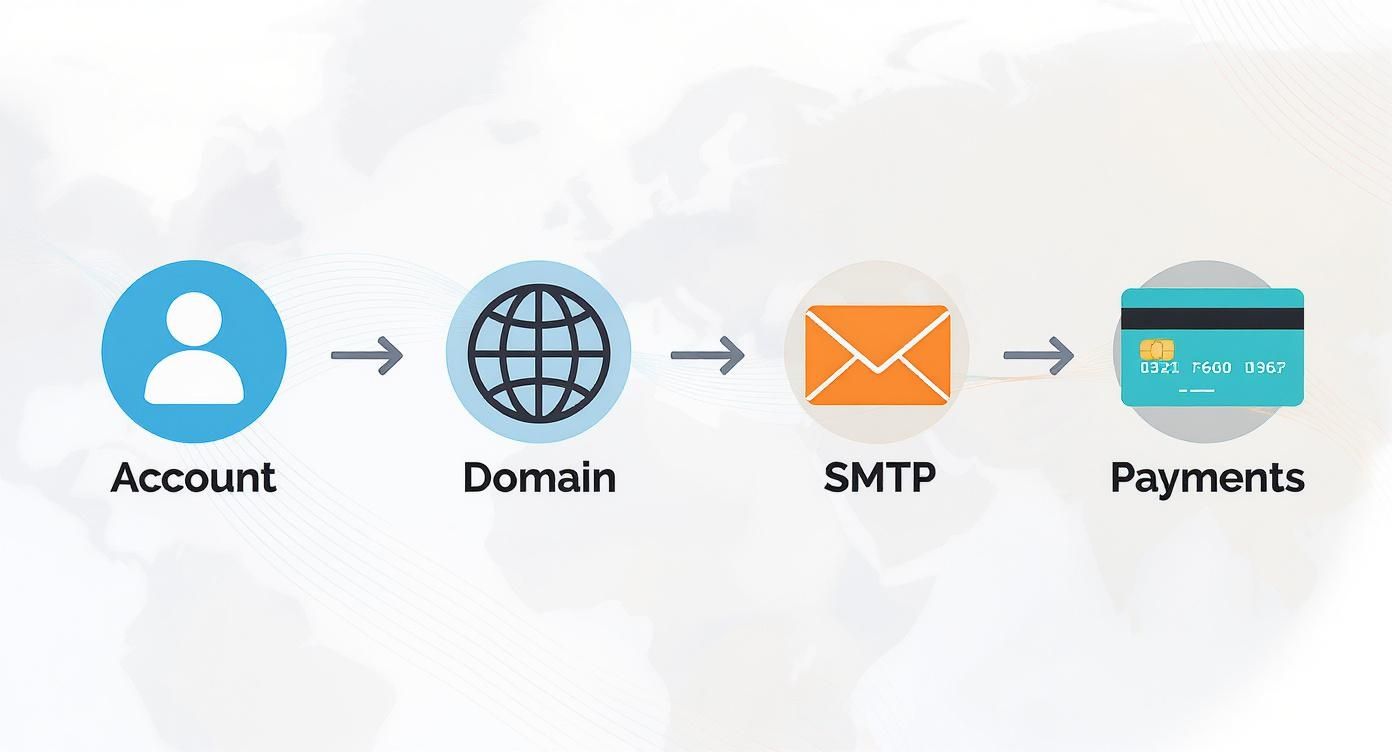
Stick to this sequence, and you'll sidestep a ton of technical issues down the road.
To make this even clearer, here’s a quick checklist of the core tasks we're about to tackle. This table breaks down what you need to do and, more importantly, why it's so critical for your business.
ClickFunnels Core Setup Checklist
| Setup Task | Core Action | Why It Matters |
|---|---|---|
| Account Profile | Fill out all business details accurately. | Ensures professional communication and auto-populates fields in your funnels, saving you time. |
| Custom Domain | Connect your own branded domain. | Builds immediate trust and credibility. yourbrand.com beats yourname.clickfunnels.com every time. |
| SMTP Integration | Link a third-party email service. | Guarantees your confirmation and follow-up emails actually reach your customers' inboxes, not their spam folders. |
| Payment Gateway | Integrate a processor like Stripe. | Allows you to securely accept payments, which is the entire point of a sales funnel. |
Following these steps ensures your funnel is built on a stable, professional framework from day one, setting you up for smooth sailing.
Account Creation and Initial Navigation
First things first, you need to create your ClickFunnels account. This part is easy and gets you into the main dashboard, which will become your command center. The very first thing you should do is fill out your user profile with all your correct business info. Trust me, this will save you tedious data entry later.
Next, just take a few minutes to poke around the main menu. You don't need to master everything, but get a feel for where the important stuff lives:
- Sites & Funnels: This is your workshop. It's where every funnel you build will live.
- Products: Where you'll define the things you're selling, whether they're digital or physical.
- Orders: Your sales dashboard for tracking every purchase and customer.
- Contacts: This is your CRM—a central hub for every lead and customer.
- Analytics: Where you'll go to see what's working (and what's not) by tracking visitors and conversions.
Spending 15-20 minutes clicking around now isn't wasting time; it's an investment. It'll save you from frantically searching for a setting an hour before you're supposed to launch.
The platform's growth speaks for itself. What started with around 200 beta users in 2014 has exploded to 150,000 paying customers by 2023. That's backed by some serious revenue, jumping from $14.4 million in 2016 to a whopping $265.3 million in 2023—an increase of over 1,700% in just seven years.
Connecting Your Custom Domain
Nothing screams "I'm a total beginner" louder than using the default yourname.clickfunnels.com subdomain. You absolutely need a custom domain, like yourbrand.com or a subdomain like go.yourbrand.com. It's a non-negotiable step for building trust.
You'll need to buy a domain from a registrar like Namecheap or GoDaddy and then point it to your ClickFunnels account by adding a CNAME record. This might sound a bit geeky, but ClickFunnels has clear, step-by-step guides to walk you through it.
While ClickFunnels is a powerhouse, it's always smart to know what else is out there. Some people find other platforms suit different needs better; you can see how it stacks up against a popular alternative in this detailed Systeme.io review.
Configuring Your SMTP Settings
So, what happens the moment someone buys your product or opts into your list? They expect an email, right? A confirmation, a receipt, a welcome message. If you don't set up your SMTP (Simple Mail Transfer Protocol), those mission-critical emails could end up in spam—or worse, not get delivered at all.
ClickFunnels lets you integrate with a dedicated transactional email service like SendGrid. This basically gives ClickFunnels permission to send emails on your behalf, using your own domain. It's a one-time setup that makes you look professional and ensures your customers get the info they need. It’s a small technical step that makes a giant leap for your business's credibility.
Crafting Your First High-Converting Funnel
Alright, with all the technical setup out of the way, we get to the fun part—actually building the thing that's going to make you money. This is where your ideas start to come to life inside the ClickFunnels editor. Your first funnel is a huge learning experience, and nailing the basics here makes everything else that follows so much easier.
But before you even touch the editor, stop and ask yourself one simple question: What is the single most important action I want a visitor to take? Seriously. The answer dictates every single decision you're about to make.
Selecting the Right Funnel for Your Goal
ClickFunnels isn't a one-trick pony; it’s got different funnel types for different jobs. Picking the right one from the start is half the battle. Don't just click one at random—think about your immediate goal.
For example, if you're an affiliate marketer, your main goal is probably to build an email list before you send people to an offer. A simple Lead Magnet Funnel is perfect for this. It’s usually just two steps:
- Squeeze Page: A super simple page offering something valuable for free (like a PDF guide) in exchange for an email. Its only job is to capture that lead.
- Thank You Page: Once they opt-in, they land here. This page confirms they're on the list, gives them the freebie, and—this is key—bridges them over to the affiliate offer.
Now, if you're selling your own product, a Sales Funnel is what you need. This is a bit more involved, designed to walk someone from being curious to actually buying, often with upsells and one-time offers along the way. A huge part of this is creating effective landing pages for affiliate marketing or product sales that actually grab attention and get people to act.
Pro Tip: For your very first funnel, just build a Lead Magnet Funnel. It’s the easiest to put together, has fewer moving parts, and you'll learn the core mechanics of the page editor without getting bogged down in payment gateways and all that.
Navigating the ClickFunnels Page Editor
Once you’ve picked your funnel type, ClickFunnels will spit out a template with the necessary pages already built. Think of this as your starting canvas. The editor itself is a drag-and-drop system that works on a simple hierarchy.
- Sections (Green): These are the big building blocks of your page—like the header, the main content area, or the footer.
- Rows (Blue): These live inside the sections and let you create column layouts (e.g., one wide column or two side-by-side columns).
- Elements (Orange): These are the actual bits of content—headlines, paragraphs, images, buttons, email forms—that you drop into your columns.
Getting your head around this structure is crucial. It’s a bit like LEGOs: you start with a big base plate (the section), add some structural bricks (rows), and then place all the cool, detailed pieces (elements) on top. Just start by clicking on the template's placeholder text and images and replacing them with your own stuff.
Building the Essential Pages
Let's quickly break down the two pages you'll be building for your affiliate lead funnel.
The Squeeze Page is your most important asset here. The goal is simple: maximum curiosity, minimum friction. That means a bold headline that focuses on a benefit, a few bullet points explaining the awesome outcome they'll get from your freebie, and a very obvious button.
We've got a whole guide on designing these crucial first-impression pages right here: https://danielproctor.com/affiliate-marketing-landing-pages/
The words you use are everything. Instead of a boring headline like "Free Ebook," go for something that creates intrigue: "Discover the 3 Simple Tweaks That Doubled My Affiliate Commissions in 30 Days." See the difference? It's all about the result.
Your Thank You Page is more than just a confirmation. It’s an opportunity. Of course, you need to deliver the lead magnet you promised. But you should also use this space to tell your new subscribers what to expect from you and, most importantly, give them a clear next step. This is the perfect spot to introduce the affiliate product you’re promoting.
This simple flow takes someone from being a random visitor to a warm lead who is now ready to hear what you have to say next.
Integrating Payments and Adding Products Seamlessly
Alright, your funnel looks sharp and the copy is on point. But let's be real—without a way to get paid, it’s just a pretty website. This is the part where we connect the engine to the wheels. Getting your payment gateway hooked up turns your funnel into a business, and it's a step you absolutely can't skip.
The goal here is to make buying from you so ridiculously easy that your customers don't even have to think about it. Any hiccup—a clunky form, a payment option they don't trust—is a potential lost sale. In fact, a complicated checkout is why 21% of online shoppers will just click away. We’re going to make sure that doesn't happen to you.
Connecting Your Payment Gateways
First up, you need to connect a payment processor. ClickFunnels plays nice with a few big names, but for most people starting out, especially in affiliate marketing, it really boils down to two: Stripe and PayPal.
- Stripe: Honestly, this is the go-to for most funnel builders. It’s rock-solid for handling credit card payments and the integration with ClickFunnels is about as smooth as it gets. You'll just need to create a Stripe account and then plug it into your ClickFunnels settings using an API key.
- PayPal: Even though Stripe is king, you should absolutely offer PayPal too. So many people know and trust it, and just seeing that familiar blue button can be enough to boost your conversions. You can add it right alongside Stripe to give people choices.
Getting these connected is no big deal. Just head to your Account Settings, find the "Payment Gateways" section, and click "Add New Payment Gateway." ClickFunnels has a little setup wizard that walks you through the whole process for both Stripe and PayPal. It's pretty painless.
Setting Up Your First Product
With your payment gateway ready to go, it's time to create the thing you're actually selling. This is a common spot where people get tripped up: you don't create products in a central "store" like you would on Shopify. Instead, you add products directly to the Order Form page within a specific funnel.
When you're editing your Order Form, just click over to the "Products" tab. This is where you'll add your ebook, course, or whatever else you're offering.
You'll need to fill in a few key details:
- Product Name: Be clear and specific. Something like "The Ultimate Affiliate SEO Checklist" works great.
- Price Amount: How much are you charging?
- Currency: Pick the right one (USD, EUR, etc.).
- Price Display Override: This is a cool little trick. Instead of just showing "$27," you can make it say "$27 (One-Time Payment)" to give your customers extra clarity right on the form.
If you're selling a digital product, you can either upload the file right there or drop a link into the "Fulfillment Email" section. This email goes out automatically once someone buys, delivering their download link or membership info.
Quick tip: Don't just leave the fulfillment email as the default template. It's so generic. Take two minutes to personalize it with your own voice and a genuine thank you. It's a small touch that makes the whole experience feel more professional.
Maximizing Revenue with Order Bumps and Upsells
This is where ClickFunnels really starts to shine. Just selling one thing at a time is leaving a ton of money on the table. The most profitable funnels are designed to increase the Average Order Value (AOV) by making smart, additional offers during checkout.
An Order Bump is that little checkbox offer you see right on the order form. It’s a low-cost, high-value impulse buy that goes with the main product. For example, if you’re selling an ebook on email marketing, your order bump could be a pack of "10 High-Converting Email Templates" for just $7. It's a total no-brainer for the customer to add to their cart.
A One-Time Offer (OTO), often called an upsell, gets its own page after the initial purchase is complete. The best part? The customer has already put in their credit card details, so they can accept your new offer with a single click. A great OTO is usually a bigger, better version of what they just bought. So, if the first product was an ebook, the OTO could be the full video course for $97.
By layering in these simple offers, you’re not just making sales—you’re maximizing the value of every customer. This is exactly how you turn a campaign that's just breaking even on ad spend into one that's wildly profitable.
Automating Follow-Up and Nurturing Leads
Getting a lead is just the start of the race. The real money is made in the follow-up, turning that initial click into a long-term customer relationship. This is where automation becomes your best employee—it works 24/7 to nurture leads, chase down abandoned carts, and build trust, all without you lifting a finger.
Setting up smart automations is how you make sure no one slips through the cracks. It's the system that pings them with the right message at the right time, whether they just opted in or got distracted before checking out. You're basically creating a custom-tailored journey for every single person who enters your world.
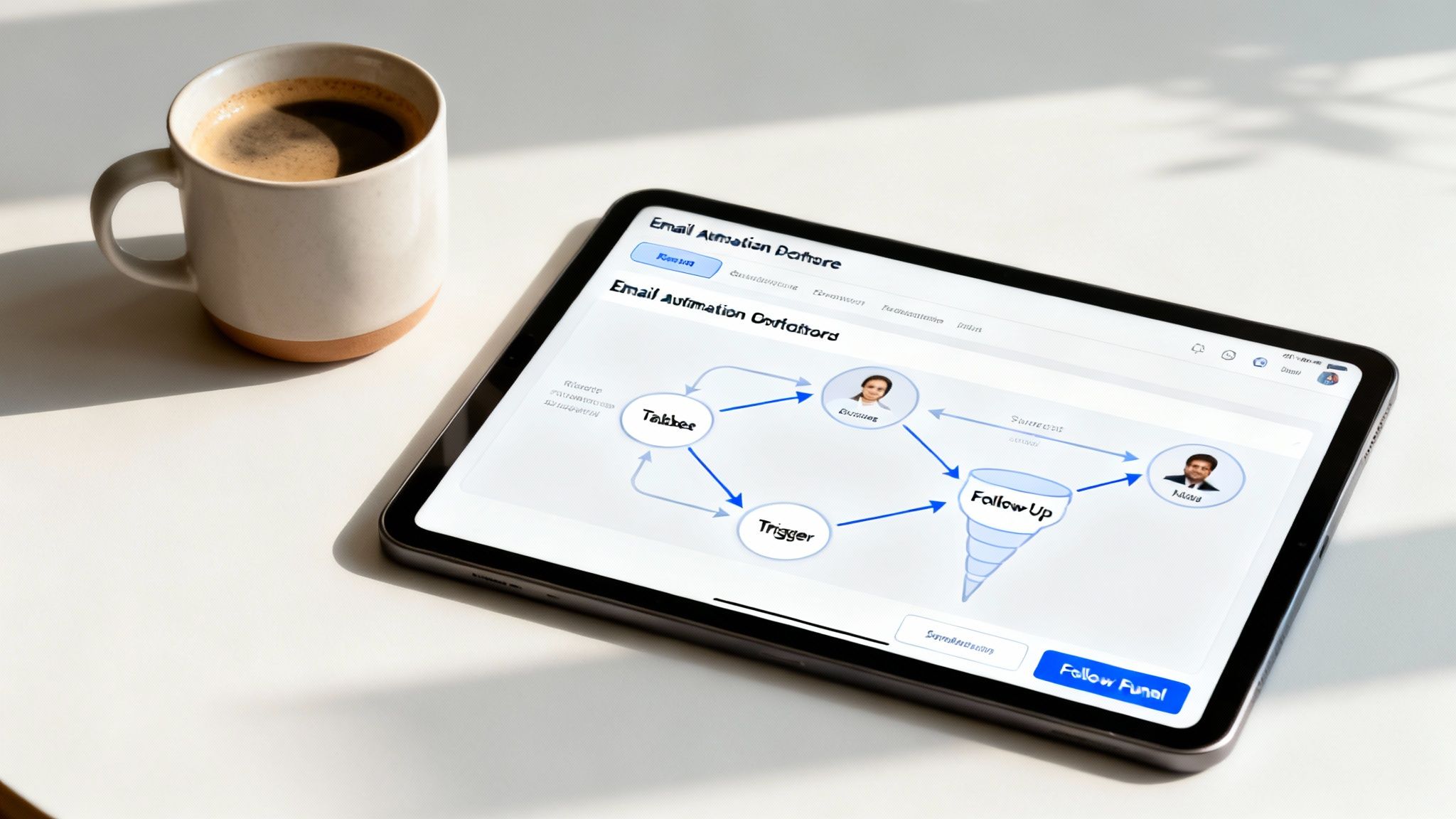
This is a great visual of what a modern automation builder looks like. Tools like ActiveCampaign let you map out these customer journeys visually based on what people do (or don't do). It makes complex follow-up sequences much easier to manage.
Integrating Your Email Marketing Service
While ClickFunnels has its own email tools, you'll unlock a whole new level of power by connecting a dedicated email service like ActiveCampaign, ConvertKit, or AWeber. Honestly, these platforms are built for one thing: sophisticated automation and segmentation. You'll need that for serious lead nurturing.
The integration itself is pretty painless. In your ClickFunnels account settings, just find the "Integrations" area and plug in your email provider using an API key they give you. Once it's linked, you can tell any funnel page to automatically shoot new contacts straight into a specific email list or workflow.
For example, when someone grabs your lead magnet, you can set it up so ClickFunnels instantly tells ActiveCampaign to:
- Tag them as a "New Lead."
- Immediately send the PDF or link they asked for.
- Kick off a 5-day welcome email sequence.
This makes the whole experience for your new subscriber feel seamless and professional from moment one.
Building Simple and Effective Automation Rules
You don't need a crazy, 50-step automation to see results. The best ones are usually the simplest, triggered by very specific actions. The goal is just to send targeted messages that feel personal and show up at the perfect time.
A fantastic place to start is with a cart abandonment sequence. Did you know that stats show nearly 70% of online shopping carts are abandoned? That's a huge pile of money left on the table. A simple automated email can bring a surprising amount of that back.
A simple rule you can build in your email tool: if a contact gets the "Added to Cart" tag but doesn't get the "Purchased" tag within two hours, trigger a three-part email sequence. This little workflow can turn a lost cause into a sale.
Another powerful one is a post-purchase follow-up. This is huge for killing buyer's remorse and building loyalty. It could be as simple as an email asking for feedback or offering a few tips on how to get the most out of what they just bought.
Leveraging Follow-Up Funnels and AI
If you're on one of ClickFunnels' higher-tier plans, their native "Follow-Up Funnels" feature is worth a look. It lets you create some pretty powerful, segmented email and text campaigns right inside the platform. You can build what they call "Smart Lists" that automatically group contacts based on who they are and what they've done in your funnels.
This is perfect for sending a targeted upsell offer to everyone who bought your main product but skipped the one-time offer. As you get deeper into lead nurturing, check out these top email marketing automation strategies to really maximize your funnel's performance.
On top of that, ClickFunnels 2.0 has gone all-in on AI for content creation, which can be a lifesaver for writing all these follow-up emails. The Basic plan gives you up to 1 million words of AI-generated content—a massive leg up on competitors. This is way more than what you get with platforms like Kartra, making ClickFunnels a much stronger option if you plan to use AI to scale your marketing.
By automating your follow-up, you’re not just sending emails; you’re building a reliable system that works around the clock to convert leads and keep customers happy.
Testing and Optimizing Before You Launch
Alright, let's talk about the final, and honestly, most critical step. Launching a funnel without testing it first is like building a car and trying to drive it without checking if the wheels are bolted on. You might get it to roll a few feet, but a catastrophic failure is pretty much guaranteed.
This is the part that separates the pros from the amateurs who just end up burning through their ad budget. We're going to cover the essential pre-flight checks to make sure every gear in this machine is turning correctly. This is where we turn a well-designed funnel into a fine-tuned conversion engine.
Setting Up Your Conversion Tracking Pixels
If you skip this, you’re flying blind. Period.
Without tracking pixels, you have zero idea which ads are actually working, where people are dropping off in your funnel, or if you're even making your money back. It's not optional. For most of us, the two non-negotiables are the Meta Pixel (for Facebook and Instagram) and your Google Analytics tag.
Thankfully, ClickFunnels makes this dead simple. You don't have to mess around with pasting code on every single page.
- Just head over to your funnel's main "Settings" tab.
- Find the "Head Tracking Code" section.
- Slap your pixel codes in there.
That one move automatically adds the code across every single page in that funnel. Now you can capture data from the initial ad click all the way to the final thank you page. This data is the lifeblood of your business; it shows you exactly how real people interact with what you've built.
Mastering A/B Split Testing in ClickFunnels
Guessing which headline or button color works best is a surefire way to lose money. Why guess when you can know for sure? This is where ClickFunnels' built-in A/B split testing feature becomes your best friend.
The idea is straightforward: you create a variation of a page (the "B" version) and send half your traffic to it, while the other half sees the original (the "A" version). ClickFunnels does the heavy lifting, tracking which version convinces more people to click, opt-in, or buy.
To get a test running, just go to any page in your funnel and click "Create Variation." You can either duplicate the page to make a few small tweaks or start from a completely different template to test a whole new approach.
Here are a few high-impact elements I always recommend testing first:
- The Main Headline: Pit a benefit-driven headline against one that sparks curiosity.
- The Call-to-Action (CTA): Test the button text ("Get Instant Access" vs. "Download My Free Guide") and even the color. You'd be shocked at how much button color can matter.
- Page Media: Does a video sales letter outperform a classic long-form text page? Only one way to find out.
- The Offer Itself: Try testing different price points, payment plans, or bonus packages.
Let your split tests run until you have a statistically significant result. Don't call it after just a few sales. You're looking for at least 100-200 conversions per variation to get reliable data. Trust me, small changes here can lead to massive wins down the road.
Your Final Pre-Flight Launch Checklist
Before you dream of spending a single dollar on ads, you need to run through this checklist. This is what catches the tiny, conversion-killing mistakes that make you look unprofessional. Think of it like a final quality control check. This process is a crucial part of your optimization, and for a deeper look, our checklist for on-page SEO has some great insights that apply here too.
Technical and Functional Checks:
- Run a Test Transaction: Switch Stripe to "test mode" and buy your own product. Does the payment process smoothly? Do you see the correct upsell page? Does the thank you page load?
- Click Every Single Link: I mean it. Every button, text link, and image. Make sure nothing is broken or pointing to the wrong place.
- Verify Your Email Automations: Opt-in to your own list. Did you get the welcome email immediately? Was the lead magnet attached or linked correctly?
- Test on Mobile: Pull up your funnel on your phone. Can you read the text without pinching and zooming? Are the buttons easy to tap with your thumb? With over 50% of web traffic now on mobile, a clunky mobile experience is a guaranteed deal-breaker.
Content and User Experience Checks:
- Proofread Everything: Read every word on every page out loud. This is the best way to catch weird phrasing and embarrassing typos.
- Confirm Social Proof: Are your testimonials showing up properly? Is the formatting clean and easy to read?
- Check Page Load Speed: Use a free tool like Google PageSpeed Insights. If your funnel is slow, people will leave before they even see your offer.
Once you’ve gone through and checked every single box on this list, you’re ready. You can finally launch with confidence, knowing your funnel is locked, loaded, and ready to convert.
Common Questions About Setting Up ClickFunnels
Even when you follow a guide to the letter, a few questions are bound to pop up. It happens to everyone. Let's tackle some of the most common ones I hear from people just getting started, so you can get past these little roadblocks and get your funnel live.
Can I Use My Own Domain With ClickFunnels?
Yes, and honestly, you absolutely should. This isn't just a "nice to have"; it's a critical step for looking like a real business.
Think about it. Which one builds more trust? go.yourbrand.com or yourname.clickfunnels.com? The difference is huge. Using your own domain makes you look professional and gives potential customers the confidence to pull out their credit cards.
The process is pretty straightforward. You'll connect a domain you already own (from a place like GoDaddy or Namecheap) to your ClickFunnels account. This involves adding something called a CNAME record in your domain settings, which just points your domain name to ClickFunnels. It sounds technical, but they have a step-by-step wizard that walks you right through it.
How Long Does It Realistically Take to Set Up a Funnel?
This really depends on how complex your funnel is and if you've done this sort of thing before. Let's break it down with a couple of real-world scenarios.
-
Simple Lead Magnet Funnel: If you're building a basic two-page funnel (just an opt-in page and a thank you page), a beginner should budget 2-3 hours. That's enough time to pick a template, tweak the copy, hook up your email autoresponder, and test everything.
-
Full Sales Funnel: Now, if you're building a funnel with a sales page, order form, a one-click upsell, and a confirmation page, that’s a bigger project. A first-timer should set aside a full day, maybe even two. You need time to get everything built, connect your payment processor, and test, test, test. Don't rush the final testing phase.
What Are the Biggest Mistakes to Avoid During Setup?
New users almost always trip over the same few things. If you can steer clear of these, you're already way ahead of the game.
The single biggest mistake is failing to test your funnel from a customer's perspective. It's easy to get so lost in the build that you forget to experience what your audience will. Always go through the entire flow as if you're a brand new visitor seeing it for the first time.
Here are the top three mistakes I see all the time:
- Forgetting to Run a Test Purchase: This is completely non-negotiable. You have to use your payment gateway's "test mode" to buy your own product. This is the only way to be sure the payment actually processes, the upsell fires correctly, and the customer gets what they paid for.
- Neglecting Mobile Optimization: Well over 50% of your traffic will probably be on a phone. Always, always use the mobile preview inside the ClickFunnels editor. Make sure your text is readable, your images aren't wonky, and your buttons are easy to tap with a thumb.
- Not Installing Tracking Pixels: Launching without a Meta Pixel or Google Analytics tag is like flying blind. You'll have no idea if your ads are actually profitable or where people are getting stuck and leaving your funnel.
What Other Tools Do I Absolutely Need?
While ClickFunnels is a beast, it doesn't do everything on its own. To run a proper online business, you’ll need a few other key tools working alongside it. Think of them as essential partners in your business.
First, you need a dedicated email autoresponder. ClickFunnels has some email features, but a specialized service like ActiveCampaign or ConvertKit gives you much more power for automation and segmenting your list.
Second, you absolutely must have a payment gateway like Stripe or PayPal to actually process credit card payments.
Finally, you need a plan for getting traffic. A funnel is useless without people going into it, so whether you're running paid ads, working on SEO, or creating social media content, you need a reliable way to bring in visitors.
Ready to build your own profitable affiliate marketing business but want expert guidance to shorten the learning curve? At Daniel Proctor, we provide step-by-step training, 1-on-1 mentorship, and proven systems to help you succeed. Learn more and join our community of over 1,400 affiliates today!
