


So, is the Webflow affiliate program actually worth your time? The short answer is: maybe. It’s a seriously lucrative opportunity, but it’s definitely not for everyone.
Think of it less like promoting a simple app and more like recommending a high-end, specialized tool for professionals. We’re talking about a 50% commission on every single payment a customer makes for their first 12 months. Pair that with a generous 90-day cookie window, and the earning potential is massive. But—and this is a big but—you need the right audience.
Is the Webflow Affiliate Program a Good Fit for You?
Jumping into the Webflow affiliate program isn’t a casual decision. Your success hinges entirely on who you’re talking to. If your audience consists of designers, developers, marketing agencies, or tech-savvy entrepreneurs, then you’re in the right place.
This program is built for creators who can genuinely speak the language of web design and development. It rewards affiliates who attract high-value, long-term customers, not just those driving quick, one-off sign-ups.
To give you a clearer picture, here’s a quick breakdown of what you’re getting into:
- Commission Rate: You earn a 50% cut of all subscription payments for a new customer’s first 12 months.
- Cookie Duration: A 90-day cookie gives you credit for sales made up to three months after someone clicks your link. This is huge, as the decision to switch to Webflow isn’t usually an impulse buy.
- Ideal Affiliate: This is tailor-made for content creators in the web design, freelance, and marketing agency spaces who create educational, in-depth content.
The official Webflow affiliate page lays it all out pretty clearly. They’re not just offering a one-time payout; they’re offering a slice of recurring revenue, which is the holy grail for most affiliates.
To put it all in one place, here’s a quick summary table to help you decide if this program aligns with your goals.
Webflow Affiliate Program at a Glance
| Feature | Details | Why It Matters for Affiliates |
|---|---|---|
| Commission Model | 50% revenue share for the first 12 months. | This recurring model offers a substantial, predictable income stream from a single referral, which is rare. |
| Cookie Window | 90 days. | Accommodates a longer, more considered buying cycle. It gives your audience plenty of time to research before committing. |
| Ideal Audience | Freelance designers, agencies, and tech-forward entrepreneurs. | This isn’t a mass-market product. You need a niche, technically skilled audience, which can be a higher barrier to entry. |
This table should give you a good sense of the pros and cons. The high commission is tempting, but the need for a specific, professional audience means it requires a more focused strategy than your average affiliate program.
How the Webflow Commission Structure Really Works
Let’s get into the good stuff—how you actually make money. The heart of any affiliate program is its commission, and Webflow’s setup is built to reward affiliates who bring in good, long-term customers. This isn’t just a one-and-done payout; it’s a recurring revenue model that can earn you cash for up to two years from a single click.
At its core, the program gives you a 50% revenue share on every payment a new customer makes for their first 12 months. This applies to any Workspace or Site plan they buy, so your earnings are directly tied to the value of the customer you refer. If they spend more, you make more. It’s that simple.
So, what does that look like in real dollars? Imagine you refer a freelance designer who signs up for the Freelancer Workspace plan at $24 per month (billed annually). You’d pocket $12 every single month for a year, adding up to a cool $144 from that one person. That recurring model is a huge leg up over programs that just offer a flat, one-time fee.
This graphic gives you a quick snapshot of the key details, from the commission rate to the cookie window.
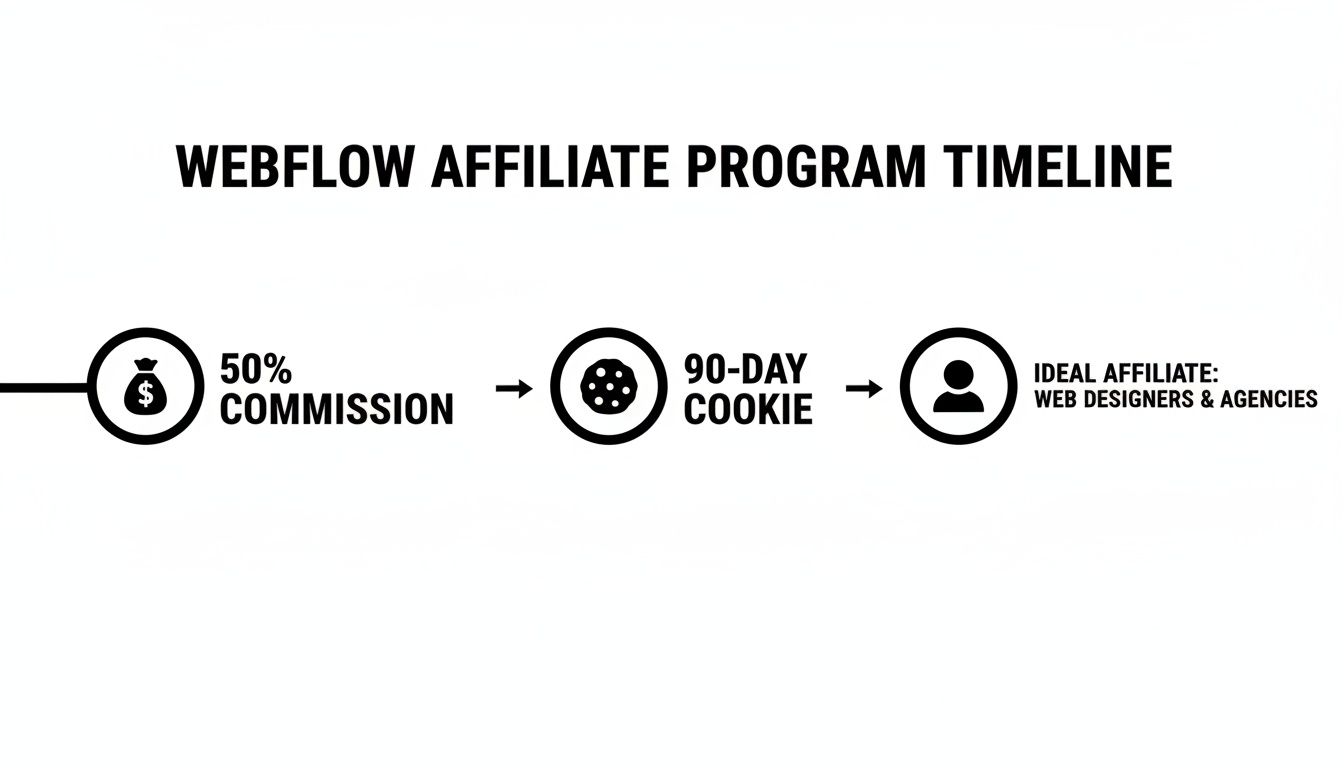
As you can see, the blend of a high commission rate and a long cookie duration is a potent mix for any serious affiliate.
Understanding the Bonus Tiers
Now, here’s where Webflow really separates itself from the pack: the Pro and Premium bonus tiers. These are designed to reward top performers by extending your commission payments into the customer’s second year. That’s right—you can double the earning window for your best referrals.
Let’s break down how you get into these higher tiers:
- Pro Tier: You’ll hit Pro status once you refer 10 new paying customers within a 12-month stretch. When you do, you’ll earn an extra 10% commission on their payments for another 12 months if they stick around and renew.
- Premium Tier: This is for the elite affiliates. Refer 25 new paying customers in a year to unlock the Premium bonus. That gets you an additional 15% commission on their second year of payments.
These tiers take a great one-year deal and turn it into a fantastic two-year revenue stream. To really make the most of this, getting familiar with Webflow’s comprehensive pricing plans is a must, since your commissions are tied directly to those costs. Knowing the price of each plan helps you see what your potential earnings could look like.
Calculating Your Potential Earnings
To really see the financial impact, let’s run through a real-world scenario. Say you refer a small agency that signs up for the Agency Workspace plan, which runs $42 per month (when billed annually).
Here’s how your earnings could stack up over two years if you hit that Premium tier:
- Year One (Base Commission): You get 50% of $42, which is $21 per month. That comes out to $252 for the year.
- Year Two (Premium Bonus): The agency renews, and your Premium status kicks in. You now get 15% of $42, which is $6.30 per month. That’s another $75.60 in your pocket for the second year.
Key Takeaway: With the Premium bonus, that single agency referral could earn you a total of $327.60 over two years. This shows just how valuable it is to bring in high-quality, long-term users who stick with the platform.
Webflow’s official documentation confirms the 50% revenue share for up to 12 months, with the bonus tiers bumping the effective commission up to 65% on some referrals. This tiered system is a massive reason why we consider this a top-tier opportunity in our Webflow affiliate program review.
A Step-by-Step Guide to Getting Started
Jumping into the Webflow affiliate program is pretty simple, but it helps to know what’s coming. Unlike some programs that give you an instant thumbs-up, Webflow actually has a human review your application to make sure you’re a good fit. I’ll walk you through the whole process, from filling out the form to grabbing your first link.

First thing’s first, you need to find the application page. It’s usually tucked away in the footer of Webflow’s website. The whole program runs on PartnerStack, a solid third-party platform, so you’ll need an account there. If you don’t have one, the signup process will get you set up.
Completing Your Application
Once you’re on the application form, you’ll need to share some info about who you are and how you plan to promote them. This is where you need to show you’ll be a valuable partner. Webflow is looking for people who have an audience that matches theirs—think designers, agencies, and business owners who know their way around tech.
Here’s what they’ll likely ask for:
- Your main platform: This is your blog URL, YouTube channel, or maybe a social media handle.
- Your audience: Get ready to share some numbers, like traffic or follower counts, and describe who these people are.
- Your game plan: This is the important part. Explain exactly how you’re going to promote Webflow.
Pro Tip: Don’t just say, “I’ll make some blog posts.” Get specific. Something like, “I’m going to create a video series showing my audience of freelance developers how to build an e-commerce store from scratch using Webflow.” That shows you’ve actually thought about it.
Your application is your sales pitch. If you need some help crafting content that actually gets people to click, check out my guide on how to write product reviews. After you submit, just hang tight—the approval can take a few business days.
Navigating the Affiliate Dashboard
Got the approval email? Awesome. Now you can log into your PartnerStack dashboard. This is mission control for everything related to your Webflow affiliate efforts. The first thing you’ll want to do is find your unique referral link.
The dashboard is usually broken down into a few key sections:
- Links: This is where your main affiliate link lives. You can often create custom links that point to specific pages on Webflow’s site, which is perfect for targeted promotions.
- Resources: Webflow usually provides logos, banners, and other marketing materials. Using their official stuff helps build trust with your audience.
- Reporting: Here’s where you can see how you’re doing. You can track clicks, referrals, sales, and commissions to figure out what’s actually working.
- Payouts: This is where you set up how you get paid, usually through PayPal or Stripe, and see your payment history.
Get comfortable with the dashboard. Knowing how to create links and read your performance data is key to making real money and fine-tuning your strategy from the get-go.
An Honest Look at the Pros and Cons
Every affiliate program has its good and bad sides, and Webflow’s is no different. A real webflow affiliate program review means looking beyond the flashy commission rates to get a feel for what it’s actually like to promote the platform. Let’s break down what makes it so appealing and, just as importantly, the hurdles you’ll need to clear to actually succeed.
Think of this as the unfiltered truth. I want you to have a clear picture of what you’re getting into, so you can decide if it genuinely fits your audience and content style.
The Upside: The Major Program Advantages
One of the biggest wins right out of the gate is Webflow’s powerful brand recognition. You’re not trying to sell some obscure tool nobody has ever heard of. Webflow is a heavy hitter in the no-code web design world, which gives you a massive head start. Chances are, your audience already knows about it, trusts the name, or is at least curious.
That existing brand trust makes your job a whole lot easier. Instead of wasting time convincing people the product is legit, you can jump straight into showing them how it can solve their specific problems.
Then there’s the money side of things, which is obviously a huge draw. The way they’ve structured the commissions and tracking is built for affiliates to earn serious cash.
- Generous 50% Commission: Getting half of every payment a customer makes for their first 12 months is an incredible offer. It turns a single signup into a steady, recurring income stream for an entire year.
- Long 90-Day Cookie Window: This is a game-changer. Webflow is a premium product, and people don’t just whip out their credit card on the first visit. They think about it, compare options, and might come back weeks later. That 90-day window makes sure you still get the credit you deserve for that sale.
These aren’t just minor perks; they are the foundation of your earning potential. When you combine this with a dedicated affiliate dashboard to track everything, reliable payouts through PayPal or Stripe, and that generous cookie life, you have a system that’s both lucrative and predictable. You can discover more about how these elements create value for affiliates and see why they’re so critical for monetizing your referrals effectively.
The Downside: The Potential Hurdles
Okay, let’s be real. Despite the high earning potential, promoting Webflow isn’t exactly a walk in the park. The first major challenge is that it’s built for a very specific, technical audience. This isn’t a simple drag-and-drop builder for your aunt who wants to start a blog.
Your audience needs a bit of design or development savvy to really get what makes Webflow so powerful. That means you have to create content for freelancers, agencies, and tech-focused entrepreneurs, which requires you to know your stuff, too.
Key Consideration: If your audience is mostly beginners looking for the absolute simplest way to get a website online, you’re going to struggle. Success with Webflow hinges on talking to a more technically skilled crowd.
On top of that, the premium price point can mean a longer sales cycle. Yes, high prices lead to high commissions, but they also make potential customers pause and think. They’re going to be comparing features, reading tons of reviews, and really weighing the investment.
Finally, the Webflow affiliate space is pretty crowded. Because the program is so good, a lot of talented creators are already promoting it. You can’t just throw up a generic review and expect the cash to roll in. You’ve got to find a unique angle, create tutorials that are exceptionally helpful, or carve out a specific niche within the Webflow community to stand out. It takes a solid content strategy and a real commitment to providing value.
Proven Strategies for Promoting Webflow
Let’s be real: successfully promoting Webflow isn’t about just dropping a link in your social media bio and hoping for the best. If you want to turn referrals into a consistent income stream, you need a strategy that actually helps people. The trick is to show off Webflow’s power by solving the exact problems your audience is facing—whether they’re freelance designers, agency owners, or go-getter entrepreneurs.
This isn’t a hard sell. It’s about education. Your content needs to be the bridge that shows potential users how Webflow can help them build incredible websites, but faster and way more efficiently. Think of yourself as a helpful guide, not a pushy salesperson. You’re leading them to a tool you genuinely believe in.
We’re going to walk through some actionable strategies for different platforms. Each one is designed to pull in the right crowd—the kind of people who will stick with Webflow for the long haul and become high-value customers.

Dominate Search with SEO-Driven Content
If you’re a blogger or have a website, SEO is your secret weapon. Seriously. One of the biggest keys to affiliate success is using effective SEO strategies to make sure your content actually gets seen by the people who need it. Your goal is to capture traffic from people actively hunting for the solutions Webflow offers.
This means creating content that answers very specific questions and hits on common pain points. Go beyond a generic “Webflow review” and get into the nitty-gritty topics your audience is actually struggling with.
Here are a few content ideas that pack a punch:
- In-Depth Comparison Posts: Write detailed breakdowns like “Webflow vs. WordPress” or “Webflow vs. Squarespace for Agencies.” Don’t just list features. Dive into the real-world stuff: workflows, scalability, and how easy it is to hand off to clients. Show who each platform is really for.
- Problem-Solving Tutorials: Create step-by-step guides that solve one single, frustrating problem. A post titled “How to Create Complex CMS Filter Systems in Webflow” is going to attract a far more qualified lead than some broad overview.
- Agency-Focused Case Studies: Show how a real (or fictional) agency used Webflow to slash development time by 30% or boost client satisfaction scores. Using real numbers makes the benefits feel tangible and believable.
This approach sets you up as an expert and builds trust. When you finally recommend Webflow, it feels like a natural, helpful suggestion, not a sales pitch.
Engage and Educate with Video Content
Video is an absolute game-changer for a visual product like Webflow. On a platform like YouTube, you can create super engaging content that doesn’t just show what Webflow can do, but how to do it. That visual proof is often the final nudge someone needs to sign up.
Think about creating “look over my shoulder” style content. It’s incredibly engaging and helps build a strong connection with your viewers, making them far more likely to trust you and use your affiliate link.
Pro Tip: Your YouTube video descriptions are prime real estate. Make sure to place your main Webflow affiliate link right at the top so people don’t have to go searching for it.
Try out these proven video formats:
- “Build with Me” Walkthroughs: Hit record and build a specific type of site from scratch, like a portfolio for a photographer or a landing page for a SaaS startup. Talk through your process as you go.
- Agency Workflow Showcases: Make a video detailing your agency’s process for client projects in Webflow, from the initial Figma design to the final handoff. This is gold for other agency owners.
- Quick Tip “Shorts” or “Reels”: Create short, snappy videos that teach one specific Webflow trick in under 60 seconds. These are fantastic for getting discovered and pulling traffic to your longer videos.
Leverage Social Media and Email Marketing
While SEO and YouTube are your long-term plays, social media and email marketing are perfect for nurturing the audience you already have. On platforms like Instagram, Pinterest, or Twitter, focus on sharing visually striking results you’ve created with Webflow. Think carousels of beautifully designed sites or short video clips of slick animations.
This visual-first approach grabs attention and makes people curious. But the real conversion magic often happens in your email list. Building an email list gives you a direct line to your most dedicated followers. If you need some direction, learning about different approaches to email marketing for affiliates can give you a solid game plan.
By combining these strategies, you build a powerful promotional machine. SEO and YouTube act as your magnets, pulling in fresh, qualified leads. Then, social media and email marketing help you build a relationship with that audience, warming them up until they’re ready to convert. This multi-channel approach is how you’ll really maximize your earnings with the Webflow affiliate program.
Who Is This Affiliate Program Actually For?
Getting anywhere with an affiliate program really comes down to one thing: does your audience actually need what you’re selling? With Webflow, this question is more important than ever. This isn’t some mass-market tool you can just throw at a general audience. It’s a specialized platform, and it’s built for a specific kind of pro.
Think of it like recommending high-end camera gear. You wouldn’t push a $5,000 camera on someone who just wants to start a family photo album. You’d talk to professional photographers or serious videographers—people who get why the advanced features matter and are willing to pay for them. It’s the exact same logic here. The affiliates who really crush it with Webflow are the ones already talking to creators, designers, and business owners who know their way around the web.
The Ideal Webflow User Profile
To do well, you’ve got to know who uses Webflow in the first place. This isn’t for casual bloggers or hobbyists. The platform’s bread and butter are professionals who either build websites for a living or run businesses where a top-tier site is non-negotiable.
This audience usually breaks down into a few key groups:
- Freelance Web Designers and Developers: These are the power users. They’re building slick, custom sites for clients and often ditching platforms like WordPress for Webflow’s cleaner, more powerful workflow.
- Creative and Marketing Agencies: Agencies love Webflow because it lets them deliver seriously impressive work for their clients, fast. They value the collaboration tools and its beast of a CMS for any project that’s heavy on content.
- Tech-Forward Small Businesses and Startups: These are the companies that live and breathe great design and UX. They need a site that not only looks incredible but can also grow with them and plug into all their other modern marketing tools.
Knowing these groups is step one. If your content isn’t hitting on the pain points and goals of these professionals, you’re going to have a tough time making sales. If you’re still getting a feel for the landscape, it’s worth checking out some of the best website builders for affiliate marketing to see how different platforms fit different needs.
Are You the Right Affiliate Partner?
Okay, let’s flip the camera around. If your audience looks anything like the profiles above, you’re in a great spot. This program is a perfect match for creators who are seen as trusted advisors in the design and business world.
You’re an ideal candidate if you create in-depth, educational content that helps professionals build better businesses or master their craft. Your role isn’t a salesperson; it’s a trusted guide.
This program works best when the promotion feels natural and is baked into genuinely helpful content. For example, a SaaS reviewer could do a deep-dive “Webflow vs. [Competitor]” video. A business coach could create a guide showing freelancers how to boost their profits by using more efficient tools—like Webflow.
And the market is definitely there. In Q2 2024 alone, the number of active Webflow e-commerce sites shot up by over 25% year-over-year. That’s just one slice of a platform that hosts hundreds of thousands of sites. You can explore more Webflow statistics to get a sense of the scale. At the end of the day, if you can genuinely show how Webflow solves a real problem for designers, agencies, or startups, then you’re exactly the kind of partner they’re looking for.
Frequently Asked Questions
Jumping into a new affiliate program always brings up a few questions. Let’s run through the most common ones I hear about Webflow’s program to make sure you’ve got all the details before you dive in.
Think of this as the final once-over, covering the practical stuff—getting paid, the rules you need to follow, and what actually earns you a commission. Getting this straight now means no surprises later on.
What Is the Minimum Payout Threshold?
You’ll need to rack up at least $100 in commissions before you can cash out. This is pretty standard across the industry and just ensures that the payments they process are worth the administrative effort.
Once you hit that $100 mark, Webflow typically processes payouts monthly. But keep an eye on the payment schedule. Most programs run on a Net-30 or Net-60 basis, which means the commissions you earn in January might not land in your bank account until February or even March. Always double-check the affiliate agreement for the exact timing.
Are There Any Promotional Restrictions?
Yes, and you absolutely need to pay attention to this part. Webflow is serious about protecting its brand.
The biggest rule is a common one: you are not allowed to bid on their branded keywords in paid ad campaigns. That means no running Google Ads on terms like “Webflow,” “Webflow pricing,” or any variations. They handle that themselves.
On top of that, you can’t make any bogus claims or offer fake, unofficial discounts to lure people in. Everything you do needs to be transparent and honest.
Important Takeaway: Don’t skim the official affiliate terms of service—read every word. Breaking these rules is the fastest way to get kicked out of the program and lose any commissions you’ve earned. It’s on you to play by the book.
Do I Earn Commissions on Template Sales?
Simple answer: no. The Webflow affiliate program is designed to reward you for one thing: bringing new paying customers to their main platform.
Your commissions are tied specifically to new subscriptions for their Workspace and Site plans.
This means that anything sold through the Webflow Marketplace—like cool templates or plugins made by third-party designers—won’t count toward your earnings. Your goal is to get people to sign up for Webflow’s core service, not just buy accessories for it.
Ready to build a profitable affiliate business with expert guidance? At Daniel Proctor, we provide the step-by-step training and mentorship you need to succeed. Start your journey with our free masterclass today!
